

How-To/Upload File
How-To
How To Support File Upload
Define multipart upload APIs in ApiHug with current protobuf and swagger syntax.
Use this pattern when an API accepts a binary file together with ordinary request fields.
When To Use It
Use this guide when your API should accept multipart form data, for example when uploading images, attachments, or import files.
Steps
- Define the request message with a
bytesfield for the uploaded file.
Protobuf
message UploadBookCoverToLocalRequest {
  option (hope.swagger.schema) = {
    json_schema: {
      description: "Upload a book cover to the local file system";
    };
  };

  int64 id = 1 [(hope.swagger.field) = {
    description: "Book id";
    empty: false;
  }];

  bytes file = 2 [(hope.swagger.field) = {
    description: "Book cover file";
    empty: false;
  }];
}
- Mark the RPC as a multipart endpoint.
Protobuf
rpc UploadBookCoverToLocal (UploadBookCoverToLocalRequest) returns (google.protobuf.Empty) {
  option (hope.swagger.operation) = {
    post: "/upload-book-cover";
    description: "Upload a book cover to the local file system";
    priority: LOW;
    consumes: "multipart/form-data";
    multipart: true;
    authorization: {
      rbac: {
        predefined_role_checker: PLATFORM;
      }
    };
  };
}
- Regenerate the wire and stub outputs.
The generated OpenAPI request body should now use
multipart/form-data. - Implement the application-side upload logic using the generated multipart-aware request type.
What You Should See
The generated OpenAPI document will expose a multipart request body instead of a JSON-only request:
JSON
"/admin/book/upload-book-cover": {
  "post": {
    "description": "Upload a book cover to the local file system",
    "requestBody": {
      "content": {
        "multipart/form-data": {
          "schema": {
            "$ref": "#/components/schemas/UploadBookCoverToLocalRequest"
          }
        }
      }
    }
  }
}
The stub/application side will generate a multipart-aware request type, typically backed by org.springframework.web.multipart.MultipartFile.
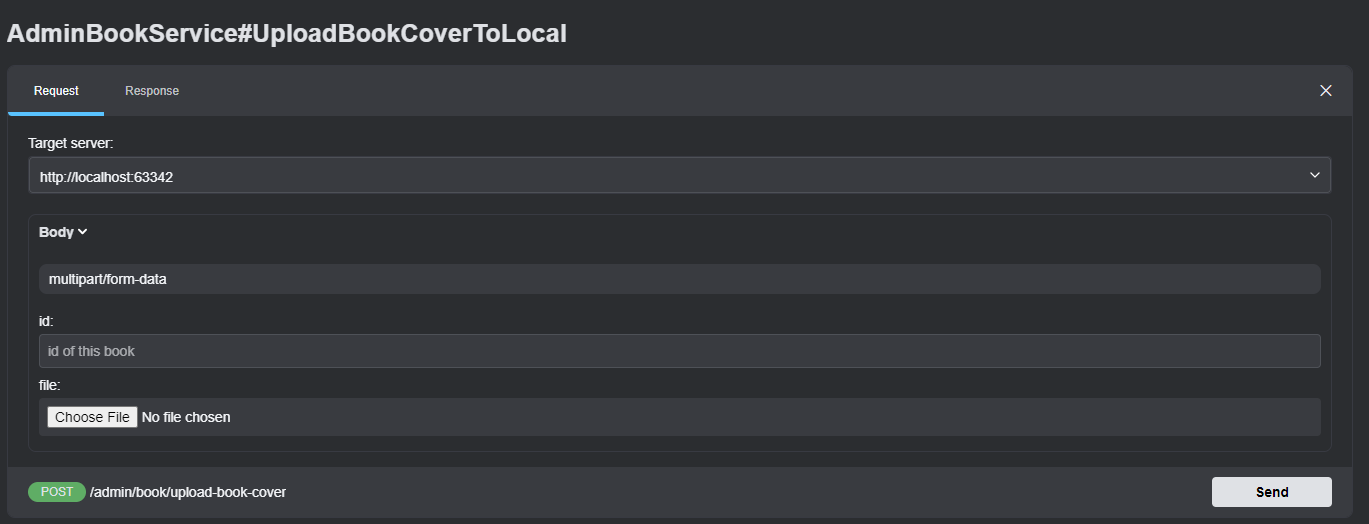
Result
You finish with a contract-defined upload endpoint whose OpenAPI output, generated stub type, and runtime implementation all agree on multipart semantics.
On this page
Copyright © 2026 ApiHug·AI-native Enterprise Architecture Factory